
Real Estate Email Marketing From the CRM You Already Use
Design the email, pick who gets it, choose when it goes out and read the report. Your contacts and your campaigns are in the same place, so there is nothing to export.
From Blank Page to Sent in One Sitting
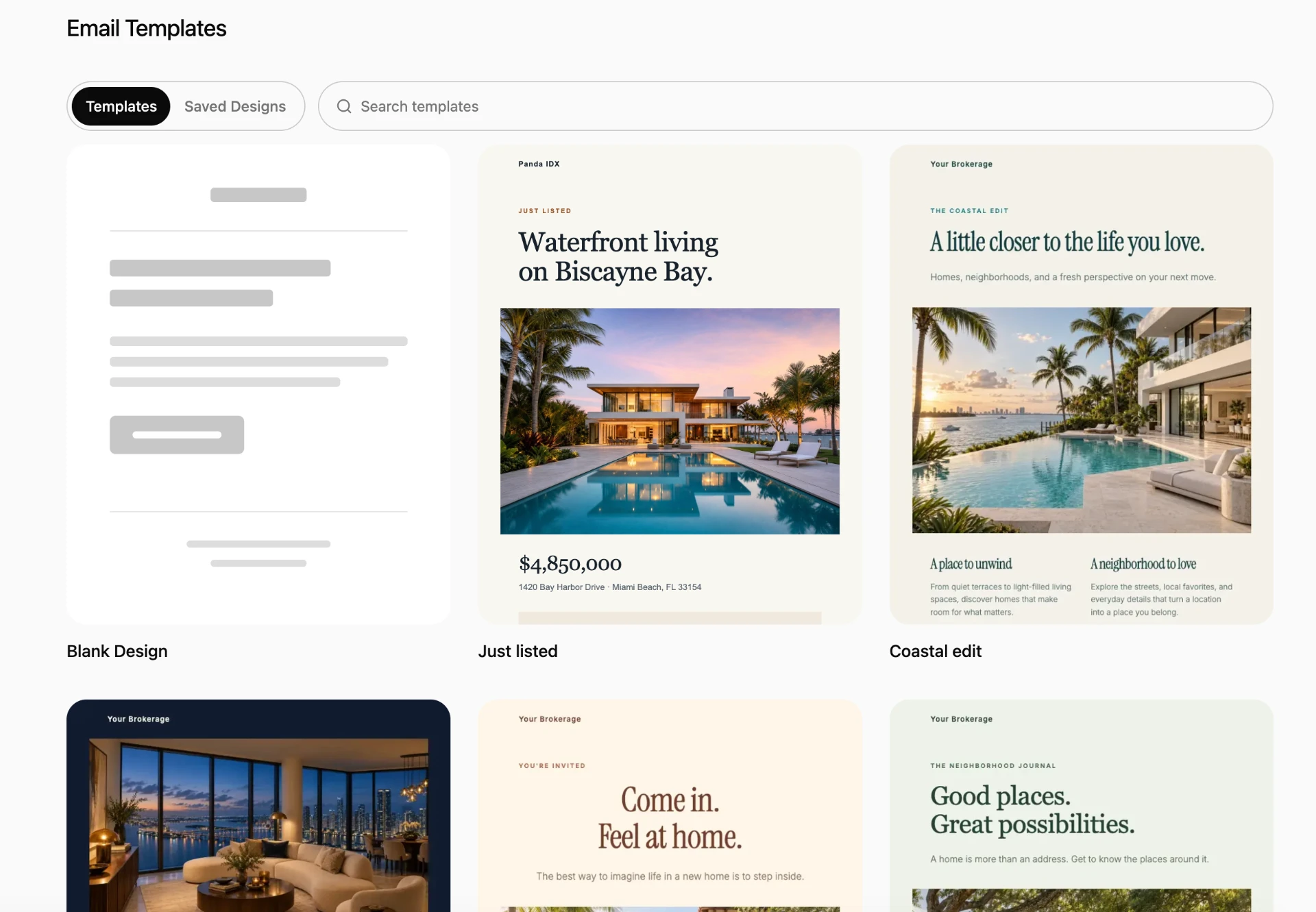
Create a campaign, give it a name and choose a design: one of the templates, one of your saved designs or a blank canvas. Write the subject and the preview text, set the From name and the reply-to address, pick the audience and decide whether it goes now or later. Before it reaches anyone, send yourself a test and check it on desktop and mobile.
An Editor Made for Email
Build the message from blocks: headings, text, images, buttons, dividers, columns, icon-and-text rows and social links. Start from a design such as “Just listed” or “An open invitation,” or from a plain layout when a short personal note works better. Set fonts, colors and spacing once in Styles and every block follows, and adjust text size and padding separately for mobile. Save a design to reuse it in the next campaign. Images come from your Media Center.
Send to the Right Segment
A new-listing email should not go to a client who closed last month. Choose All contacts or specific segments as the audience, and use “Don’t send to” to leave a segment out. Before sending you can open the audience and see exactly which contacts are in it. Contacts who unsubscribed or whose address bounced are suppressed for you.
Schedule Once or Repeat Weekly
Send now, or schedule the first send for a date and time. A campaign can also repeat weekly on the weekdays you choose and stop after a date you set, which suits a Friday open-house roundup or a Monday market note. Scheduled campaigns appear on your CRM calendar. You can pause sending, reschedule or stop delivery at any point.
A Report You Can Act On
Each campaign reports sent, delivered, opened, clicked, bounced, unsubscribed and complained, with open, click, bounce and unsubscribe rates. Opens and clicks made by mail-scanning software are counted separately as automatic activity, so the rates reflect people. See the top links clicked, filter recipients by what they did, and open any contact from the list to follow up with the ones who clicked on the listing.
Frequently Asked Questions
Send Your Next Listing Email From Your CRM
See the campaign editor and a real report.