
New Developments: Publish Pre-Construction
Publish MLS pre-construction buildings on your Panda IDX site, then feature them on the homepage or footer.
Buildings in New Developments come from the MLS. You publish them and, if you want, feature them on the homepage or footer. You cannot create a development outside the MLS.
Dashboard → Pages → New Developments. Three switches only: Published, Display on Homepage, and Display on Footer.
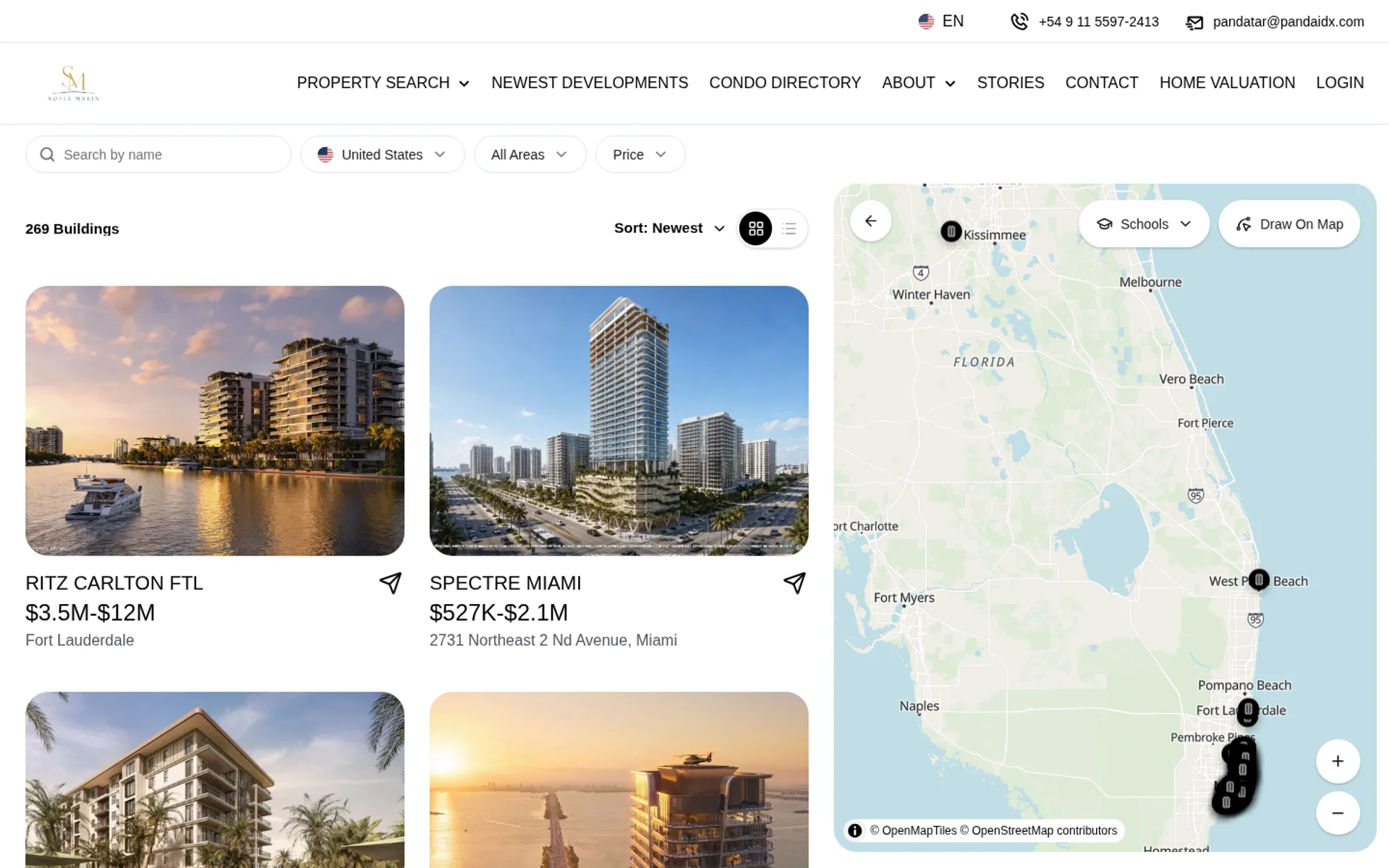
Publish a building
Step 1: Open Pages → New Developments
In the dashboard sidebar, click Pages, then New Developments. The list is MLS buildings. Use the published and featured tabs to scan what is already live.
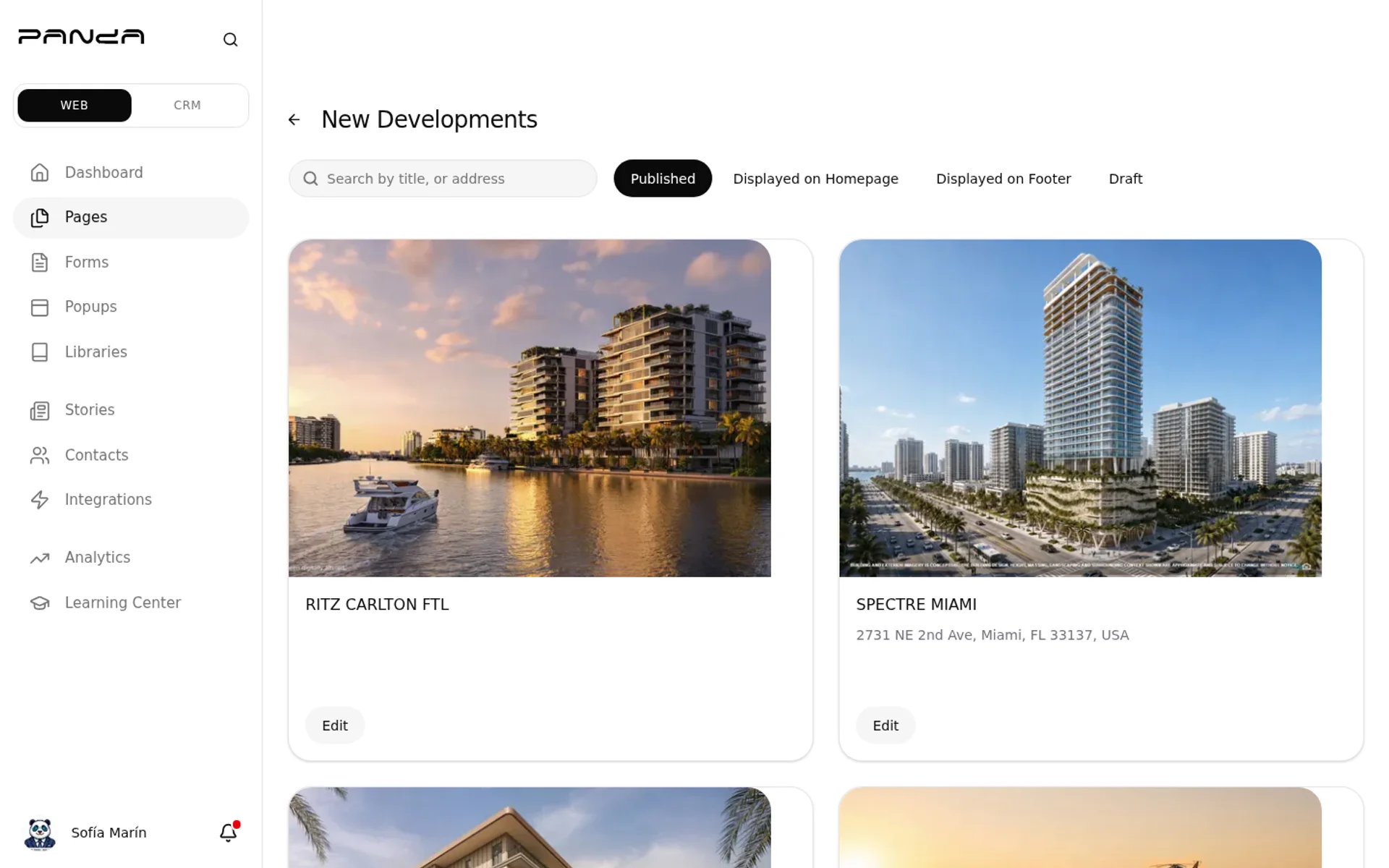
Step 2: Open Edit on a building from the MLS
Click Edit on a building. The dialog has three switches.
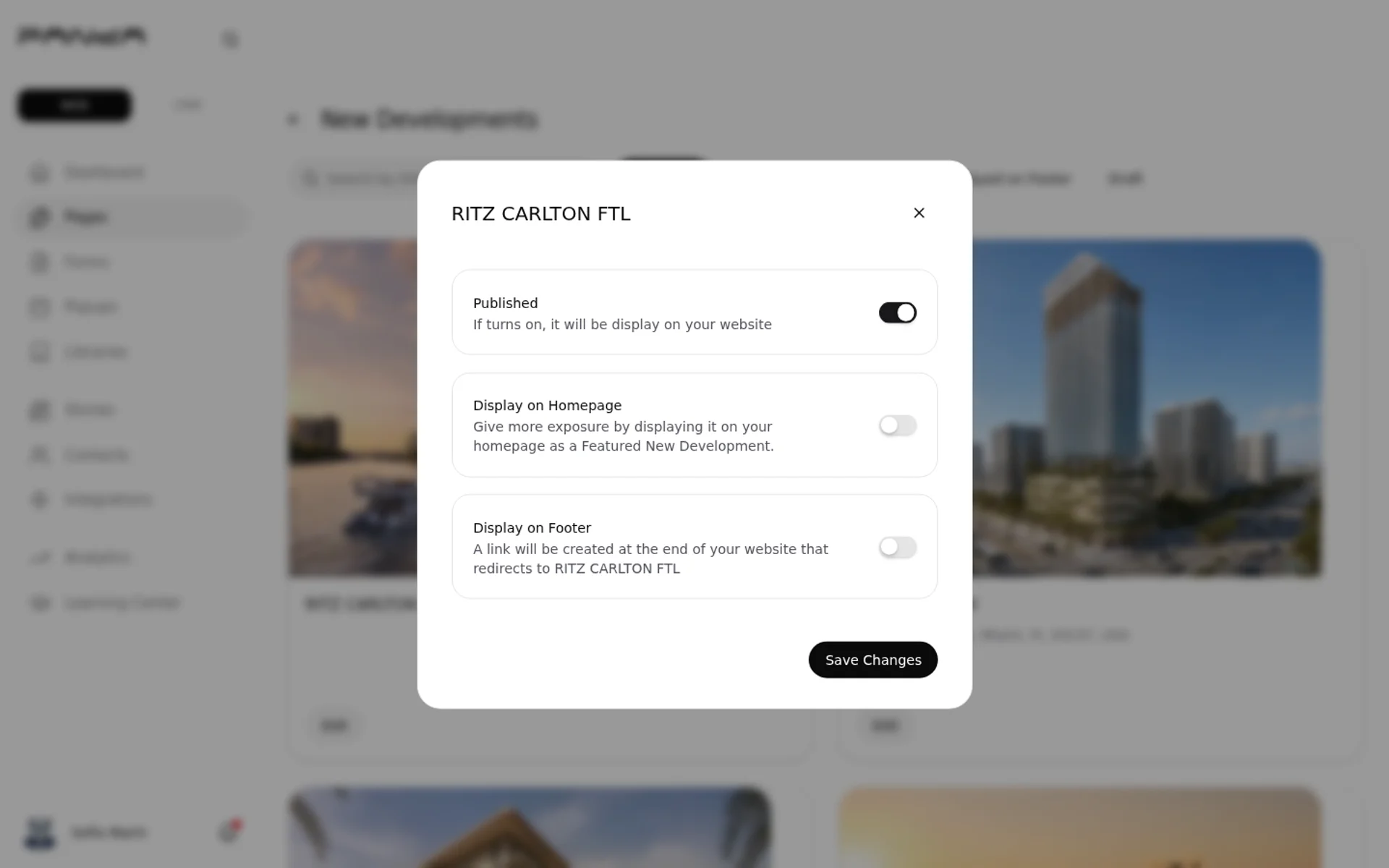
Step 3: Toggle Published, Homepage, or Footer
- Published — the building appears on your site.
- Display on Homepage — feature it on the homepage.
- Display on Footer — feature it in the footer.
Save the dialog.
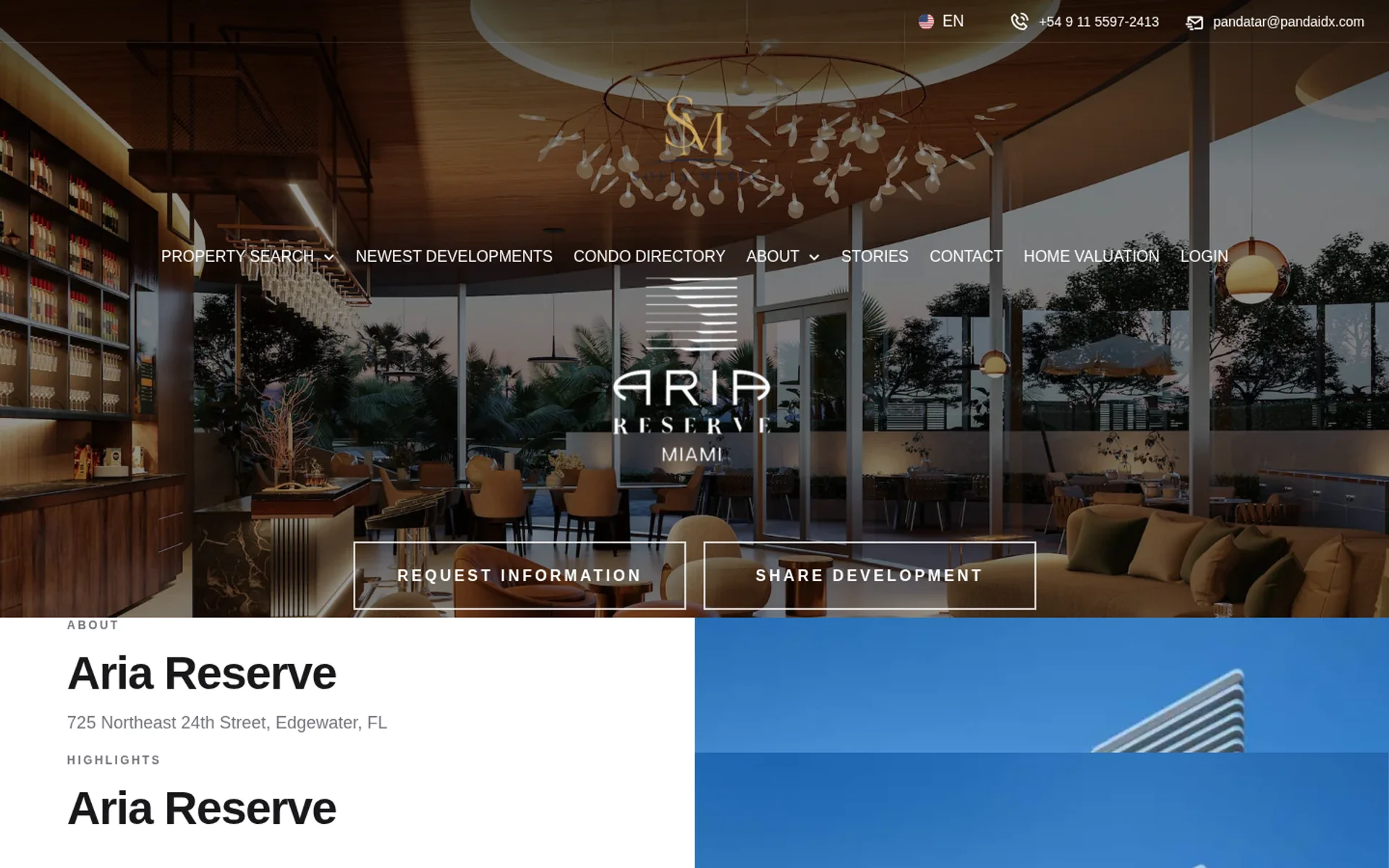
Step 4: Check the public directory and building page
A buyer opens the public New Developments directory, then a building page.
Frequently asked questions
Can I create a development that is not in the MLS?
No. You do not create a development outside the MLS. New Developments only lists buildings that already come from the MLS. You publish them and choose whether they appear on the homepage or footer.
Is New Developments the same as the Condo Directory?
No. New Developments is not the Condo Directory. Use New Developments to publish MLS pre-construction and feature it on the homepage or footer.